The State News: South Carolina
- 3.2
- Rating
- 10.00K
- Installs
- Free
- Price

 Analysis by App-foxy
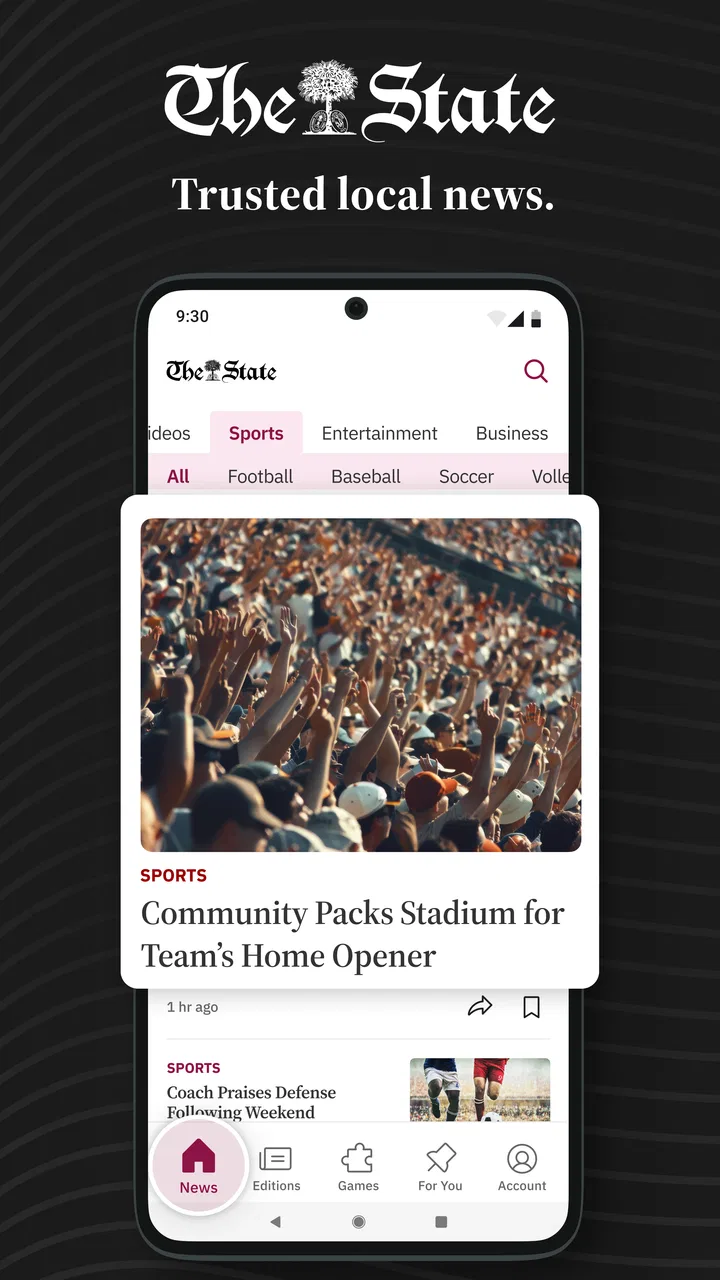
I opened The State News: South Carolina looking for a practical way to follow Columbia and statewide news without sorting through a crowded collection of unrelated headlines. This free News & Magazines app from McClatchy focuses on local reporting, politics, business, weather, and sports, so its value depends less on sheer volume and more on whether South Carolina is the place you need to keep up with.
My overall impression is that it works best as a focused local-news companion. It is not trying to replace every news source on a phone. Instead, it gives readers a direct route to stories connected to Columbia and the wider state. That focus is useful when national apps feel too broad, although it also means the app may feel limited if your daily reading is mostly international news, technology, entertainment, or national analysis.
How I would decide whether it belongs on my phone
The first question is simple: do you regularly need South Carolina news? If the answer is yes, this app has a clear reason to exist. A statewide reader, a Columbia resident, someone who works with local government, or a person who has moved away but still follows events at home can all get more from a regional news app than from a general headline feed.
You May Also Like

 AccuWeather: Weather Radar
AccuWeather Review: A Quick, Clear Forecast for Everyday Decisions
For everyday plans, the best forecast is the one you can understand quickly. AccuWeather makes rain timing, radar, and local conditions easy to act on, with a few trade-offs.

 Hill Climb Racing
Why Hill Climb Racing Still Turns Crashes Into One More Run
A tiny car, a bumpy hill and one more upgrade: Hill Climb Racing keeps resurfacing because its simple chaos makes every near-miss feel personal.

 AliExpress - Shopping App
AliExpress Makes Global Shopping Feel Personal, but Shoppers Bear the Risk
AliExpress turns a global marketplace into a pocket-sized discovery engine. Its reach is useful, its shopping loop compelling, and its trade-offs easy to miss.

 Lords Mobile: Kingdom Wars
Lords Mobile Is a Kingdom-Building Routine, Not a Quick Match
A case-by-case verdict on the building, battles, device demands, and social commitments that make Lords Mobile rewarding for some players and exhausting for others.

 PDF Scanner app - TapScanner
TapScanner Makes Paperwork Easier to Capture, Check, and Share
TapScanner makes scanning with a phone feel less like a rescue operation and more like a dependable step in getting work done. Its capture tools are useful, though not flawless.

 Block Blast!
 Shows How Much a Puzzle Game Can Leave Out
A quiet grid game shows why puzzle players increasingly value instant clarity, repeatable skill and low-pressure play—and where the genre still needs to catch up.
More From Our News Desk
View All News


The second question is how you prefer to read. Some people want a single stream that mixes local, national, and international stories. Others would rather open an app knowing that the main subject is their community. I prefer the second approach when I am trying to understand what is happening nearby, because local stories can disappear beneath larger national headlines in broad news apps.
There is also a practical device question. The app requires Android 8.0 or newer, which makes it suitable for many still-used Android phones but not for every older device. On a compatible phone, the current version is 11.1.16. I would check the operating system before planning around it, especially if this is an older spare handset used by a family member.
The app is rated for Everyone 10+, which feels appropriate for a general news product. News can naturally include serious events and uncomfortable subjects, so I would not treat that label as a promise that every article will be suitable for young children. For adults and older children reading with context, the rating should not be a barrier.
The everyday scenario where it makes the most sense
Imagine starting the morning in Columbia with only a few minutes before work. A national news app can tell you what is happening across the country, but it may not quickly answer the questions that affect your day locally: what the weather is doing, which political issue is receiving attention, what is happening in business, or how local sports are developing. This app is more useful in that moment because its subject area is already narrowed.
I would also use it before making plans around a busy day. Checking local weather and recent headlines together is more efficient than opening several unrelated sources. The important benefit is not that it eliminates every other app; it reduces the amount of searching needed to reach South Carolina coverage.
For someone living outside the state, the same workflow can help maintain a connection with home. Former residents, students away from campus, or relatives who want a local view may appreciate having a dedicated place to check rather than relying on social media posts that may be incomplete or out of context.
What the focused coverage does better than a general news feed
The strongest part of this app is its editorial focus. A general news aggregator is good at showing many subjects quickly, but it often requires filtering. Here, the local and statewide angle is the starting point. That makes the app more relevant for readers who want South Carolina stories rather than a rotating list of whichever national topics are attracting the most attention.
The range of subjects is another advantage. Local news is not just politics, and the inclusion of business, weather, and sports gives the app a broader daily role. I can imagine checking it for a developing local story, then returning later for a weather update or sports coverage. That variety makes it more useful than an app built around only one narrow beat.
The real strength is the reduction of noise: the app gives South Carolina relevance priority instead of asking me to discover it inside a much larger stream. That is a small design decision, but it changes how quickly I can find something worth reading.
Three habits that make the app more useful
My first tip is to treat it as a check-in tool rather than an app that must stay open all day. I would use it at predictable points—morning, lunch, and evening—then leave it alone when I need to concentrate. This approach keeps local awareness manageable and avoids turning every headline into an interruption.
Second, I would compare the way a developing story changes over time. A short early report may be useful for awareness, while a later visit can provide a fuller picture. For local events, this is often more valuable than reading one headline and assuming the situation is settled. The app’s regional focus makes it a sensible place to return when a South Carolina story is still unfolding.
Third, I would use the subject mix to separate immediate needs from background reading. Weather is practical and time-sensitive; politics and business may benefit from slower reading; sports can be checked when a game or season is relevant to me. Thinking of the sections as different reading modes helps prevent the app from becoming one undifferentiated scroll.
A less obvious trade-off follows from that focus. If I only want breaking headlines, I may not spend enough time with the broader categories to justify keeping another app installed. If I value a balanced local routine, however, the combination of news, weather, business, politics, and sports gives me several reasons to return.
Where other news options may fit better
I would not recommend this app to everyone. A national news app is a better choice for readers who mainly follow federal politics, international events, financial markets, or global technology. Those services usually make breadth their central purpose, while this one makes South Carolina relevance its central purpose.
A social media feed may feel faster for people who want immediate reactions and links from many sources. I see that as a different experience rather than a direct replacement. Social feeds can surface a developing event quickly, but they also require more judgment about context and reliability. A dedicated local news app is more comfortable when I want reporting organized around a geographic area instead of a stream shaped by engagement.
Local television or radio apps may suit readers who prefer video, live broadcasts, or audio updates. I would choose those alternatives when I want a presenter’s explanation or a hands-free way to follow news. I would choose this app when I want to scan written coverage at my own speed, especially in a quiet moment when playing audio is inconvenient.
There is also a difference between a newspaper’s dedicated app and a multi-source aggregator. A dedicated regional product can feel more coherent because the coverage has a clear local identity. An aggregator may offer more viewpoints in one place, but it can also make local stories harder to find. The right choice depends on whether convenience means “everything together” or “the most relevant material first.”
Limitations I would consider before installing
The average rating is 3.2 from around 321 ratings, with about 98 written reviews. I would read that as a reason to keep expectations realistic rather than as an automatic rejection. The app clearly has an audience, but the rating suggests that the experience may not satisfy every reader equally. News apps can be especially sensitive to interface preferences, update behavior, article presentation, and expectations about subscriptions.
Another consideration is the commercial model. The app is free to install, but in-app purchases range from $7.99 to $159.99 per item. That wide range tells me to pay attention to any purchase screen and understand what an offered item provides before confirming it. Someone who only wants occasional local headlines may be comfortable staying with free access, while a frequent reader may need to decide whether paid content or access is worthwhile for their routine.
This is where the cost of switching matters. Installing the app costs nothing, so trying it is relatively easy. The larger cost is attention: learning where the useful sections are, deciding whether it adds something beyond the news sources already on the phone, and remembering which service contains the most relevant local coverage. If it becomes one more place to check without replacing an existing habit, the benefit may be small.
I would also avoid installing it merely because I want a generic news application. Its identity is regional. If I live far from South Carolina and have no personal, professional, or family connection there, the focused coverage may not justify space on my phone. In that situation, a broader alternative would probably serve me better.
Who gets the most value from it
This app is a strong candidate for South Carolina residents who want local awareness without building a reading routine from several separate sources. It also makes sense for people who track state politics, follow local business developments, care about regional sports, or need weather information tied to the area.
I think it is particularly useful for readers who feel that national coverage pushes local concerns aside. The app gives those concerns a dedicated home. It can also suit a person who does not want to spend time customizing a large news aggregator and would rather begin with a defined geographic focus.
On the other hand, I would skip it if my news priorities are mostly outside South Carolina, if I strongly prefer audio or video, or if I want one universal app that combines every region and topic. I would also be cautious if I am unwilling to consider in-app purchase prompts, even though the initial download is free.
Developer, availability, and the practical trial decision
McClatchy is the developer, and the app has been available since March 20, 2012. That long presence makes it feel like an established regional news product rather than a short-lived experiment. It has over 10K installs, enough to show that other readers are using it, though not so many that I would assume it is designed for everyone.
Because the download is free, my recommendation is to test it against a specific need instead of judging it after one glance. Install it before a week when local awareness matters, use it during your normal morning or evening routine, and notice whether it helps you find South Carolina stories faster than your current method. That is a more useful test than simply counting headlines.
I would pay attention to how the app fits beside my existing sources. If it gives me a local perspective I cannot easily find elsewhere, it earns a place. If it repeats the same material I already read through another service and adds purchase friction without improving the experience, I would remove it. The decision should be based on saved time and added relevance, not on the fact that it is free.
My recommendation after weighing the trade-offs
I recommend The State News: South Carolina to readers who want a dedicated window into Columbia and the wider state. Its local emphasis, coverage across politics, business, weather, and sports, and free starting point make it a sensible choice for a regional news routine. I especially like it for people who are tired of digging through national feeds to find stories that affect their own area.
My recommendation is more cautious for everyone else. The 3.2 average from roughly 321 ratings suggests that the experience is not universally loved, and the in-app purchase range means readers should make deliberate choices if paid options appear. Those details do not erase the app’s usefulness, but they do make a trial-and-compare approach wiser than treating it as an automatic replacement for every other news source.
In the end, I see this as a focused tool rather than a complete news universe. If South Carolina is central to your life, it can make local reading quicker, more organized, and easier to remember. If your interests are national or global, a broader news service will likely be the better everyday choice. For the right reader, though, its regional focus is exactly the feature that makes it worth keeping.
FAQs for The State News: South Carolina
01What is The State News: South Carolina app?
The State News: South Carolina is a news app focused on local and regional coverage across the state. It typically provides access to breaking news, politics, business, sports, entertainment, community stories, and opinion content. The app is designed for readers who want to follow South Carolina events in one place, with articles organized into sections for easier browsing and discovery.
02Is The State News: South Carolina free to download and use?
The app can generally be downloaded without charge, allowing users to install it and explore available content. However, some articles or features may require a subscription, registration, or another form of paid access, depending on the publisher’s current policy. Before downloading, users should check the app-store listing and review any subscription terms, trial periods, renewal conditions, or in-app purchase information.
03What type of news and content can I find in the app?
The State News: South Carolina is intended for readers interested in news from around the state, including local reporting, government and politics, education, crime, business, health, weather, and sports. Coverage may also include community updates, lifestyle articles, editorials, and special features. The exact sections and article availability can change as new stories are published and the app is updated.
04Does the app offer notifications for breaking news?
The app may support push notifications for breaking stories, important local developments, and other updates selected by the publisher. Notifications are usually optional and can be enabled or disabled through the app or your device’s settings. If you prefer a quieter experience, you can limit alerts to major news or turn them off completely while continuing to open the app manually whenever you want to read the latest coverage.
05Can I read The State News: South Carolina offline?
Offline reading depends on the features included in the current version of the app and may not be available for every article. Most news apps require an internet connection to load the latest stories, images, videos, and advertisements. If offline access or saved articles are supported, you may need to download content while connected first. Availability can also vary by subscription level and device.
Pros
- Covers South Carolina politics
- campus news
- and local issues in one app.
- Provides quick access to breaking stories and regular news updates.
- Clean layout makes articles easy to browse on a phone.
- Useful for readers following South Carolina State University news.
- Offers a convenient alternative to visiting the publication’s website.
Cons
- Coverage may focus heavily on university-related stories and regional events.
- Some articles or features may require an internet connection to load.
- The app may feel less useful to readers outside South Carolina.
- Update frequency can vary depending on the news cycle.
- Advertising or promotional content may appear alongside articles.

The State News: South Carolina
Gallery